Best Laptops for Students - Finding a machine that lasts longer than your degree
Finding a laptop that survives three years of lectures and late-night deadlines doesn't have to break the bank. Here are our top picks for every budget.


Students who need a reliable machine for everything from essay writing to light photo editing without spending their entire maintenance loan. This guide covers budget-friendly options, premium all-rounders, and heavy-lifters, reviewed and priced as of June 2026.
Note: Some links in this guide may earn us a commission. This never affects our recommendations.
A note on prices (June 2026): A global memory (RAM and storage) shortage pushed component costs sharply higher through late 2025 and into 2026, and several manufacturers have raised prices as a result. Laptop pricing is unusually volatile right now, so treat every figure below as a guide and check the live price before buying. If you find a current-generation machine at last year's price, grab it.
What actually matters
Don't get swayed by flashy marketing or slim designs that sacrifice usability. For most students, the priority list should look like this:
RAM and Processor If you're buying a new machine today, do not settle for 8GB of RAM. Modern web browsers and multitasking between Microsoft Teams and twenty Chrome tabs will eat that for breakfast. Look for 16GB as your baseline — and the good news is that 16GB is now standard on most machines worth buying, including the current MacBook Air. For the processor (CPU), an Apple M-series chip or an Intel Core Ultra 5/AMD Ryzen 5 is the sweet spot for longevity.
Portability vs. Power Unless you are studying architecture or video production, you don't need a heavy gaming laptop. A weight under 1.4kg is much easier to lug between lecture halls. However, if you are doing heavy CAD work, you will need a dedicated GPU, and you'll have to accept the extra weight and shorter battery life.
Battery Life Aim for a "real world" battery life of at least 8-10 hours. There is nothing more stressful than hunting for a plug socket in a crowded seminar room.
Student discounts Before you check out, see if you qualify for education pricing. Apple's Education Store and resellers like Currys, John Lewis and KRCS often shave money off, and UNiDAYS-verified deals are common across most major retailers. Trading in an old device can knock more off the out-of-pocket cost too.
Top recommendations
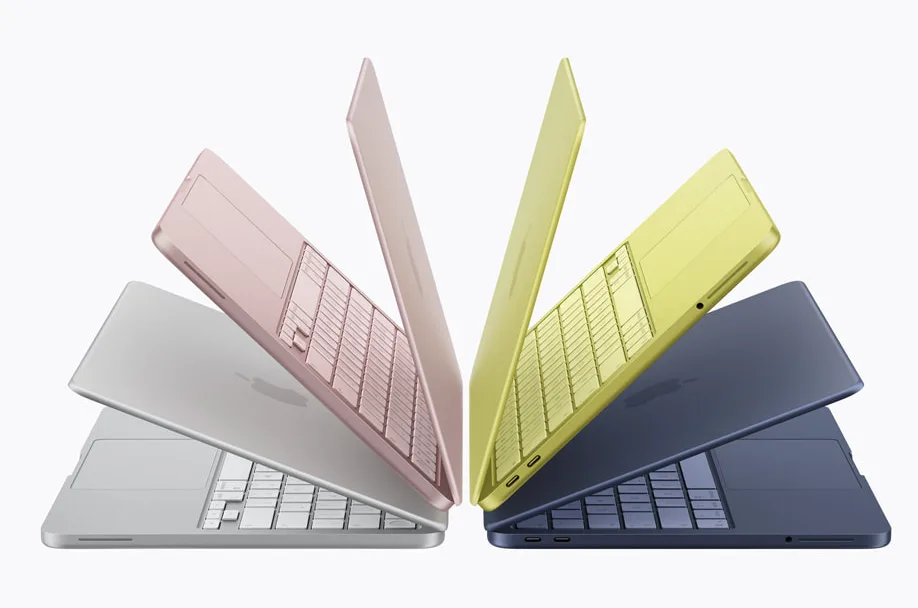
The Budget Champion: Apple MacBook Neo
Apple's surprise budget hit. At around £599, the MacBook Neo brings Apple Silicon, macOS, and genuinely all-day battery life to a price that used to buy you a plastic Windows laptop. It's small, light, and more than capable for lectures, essays, web work and light photo editing. For most students who don't already live in Windows, this is now the easiest recommendation in the guide.
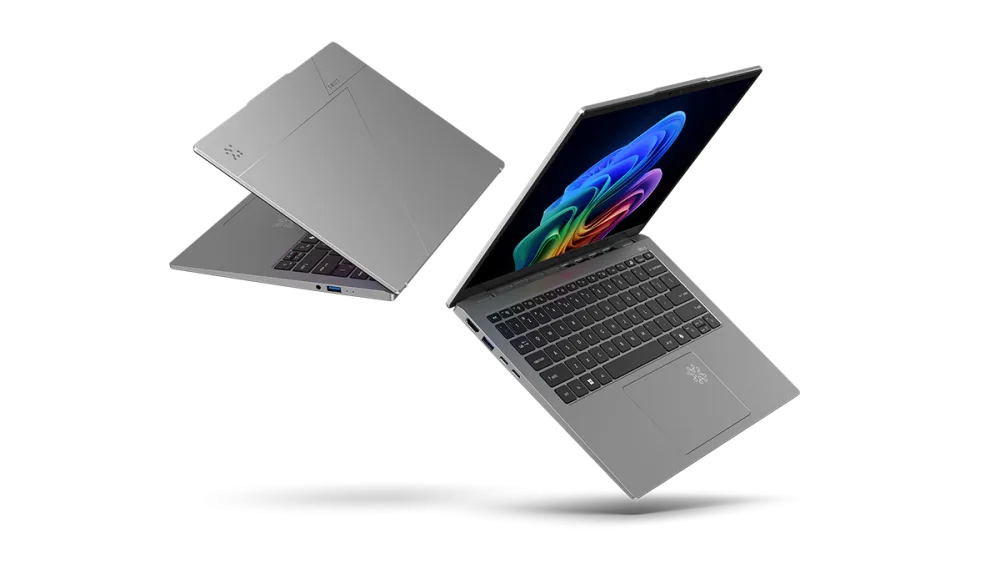
The Budget Windows Pick: Acer Swift Go 14
If you want Windows and a great screen for the money, the Acer Swift Go is a solid choice. It typically offers a lovely OLED panel for the price, which makes watching Netflix in your halls much more enjoyable. Expect roughly £650–£850 for a 16GB model in the UK, with premium OLED configurations climbing higher. Watch the spec carefully — UK models vary a lot in CPU and display.
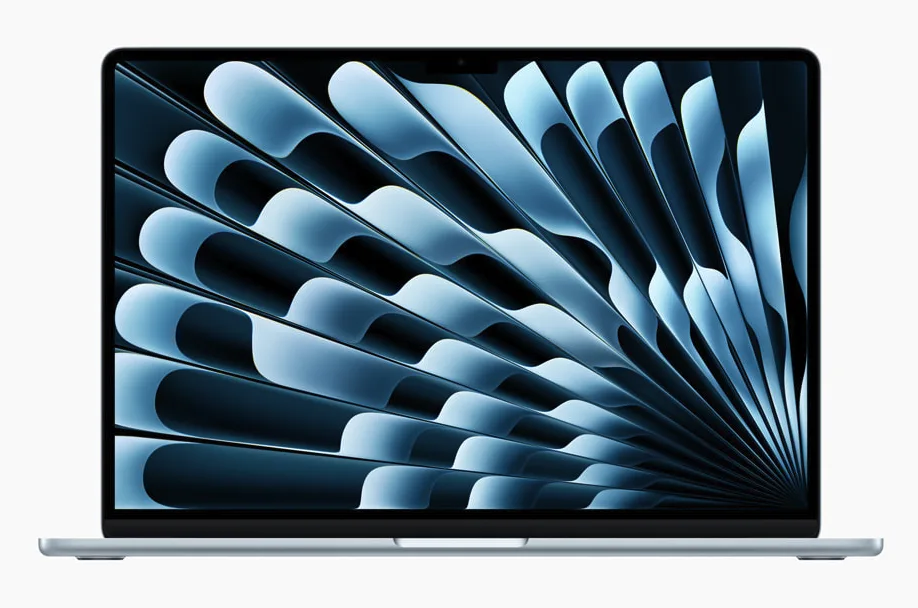
The Gold Standard: MacBook Air (M4, 2025)
For many, the MacBook Air is the default choice for a reason: class-leading battery life and a frictionless experience. Now that it has been superseded by the M5 model, the M4 Air (2025) is the value sweet spot — it ships with 16GB of RAM as standard and has fallen to roughly £789–£949, often less in sales. Unless you specifically want the very latest chip, this is the one to buy.
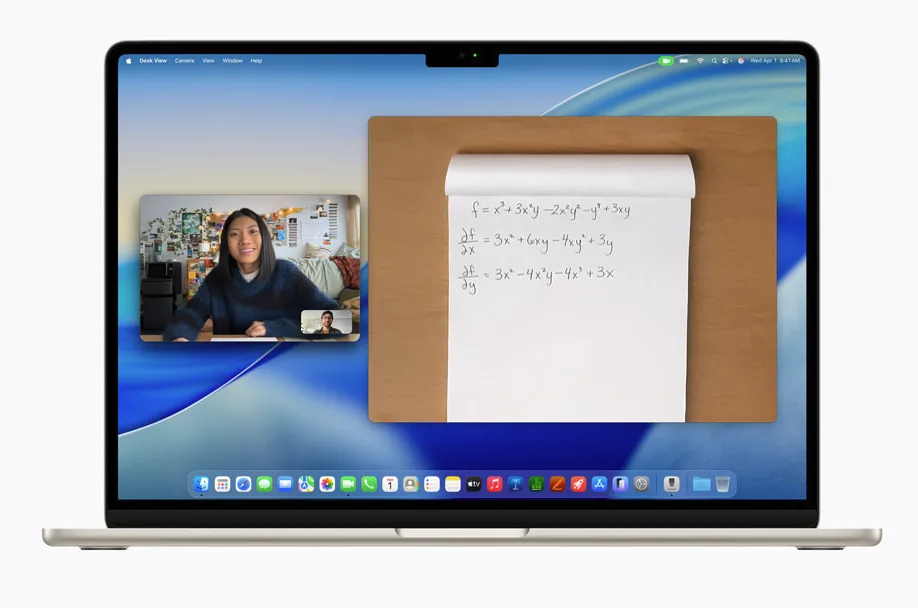
The Latest Apple: MacBook Air (M5, 2026)
The current model, launched in March 2026, sells for around £999 (less with education pricing). The M5 improvements are real but not transformative over the M4 — so buy this if you want the newest machine with the longest support runway, but don't feel you're missing out by saving money on the M4.
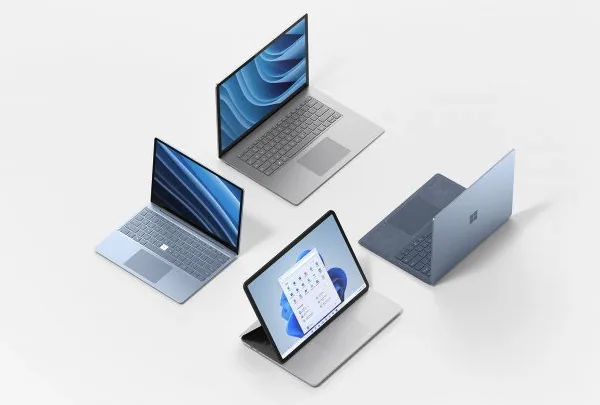
The Windows Premium: Microsoft Surface Laptop 7
If you prefer Windows but want something that feels as premium as a MacBook, the Surface Laptop is the answer. It has a fantastic 3:2 aspect ratio touchscreen, which is much better for reading long academic papers and writing essays than traditional widescreen laptops. Note that recent price rises have pushed the 13-inch model to a starting price of around £1,099, so it's firmly a premium pick now — watch for sales, which have dipped it lower.
Comparison at a glance
| Model | CPU | RAM | Storage | Approx. price (June 2026) |
|---|---|---|---|---|
| MacBook Neo | Apple silicon | 16GB | 256GB | ~£599 |
| Acer Swift Go 14 | Intel Core Ultra 5/7 or Ryzen | 16GB | 512GB | £650–£850 |
| MacBook Air (M4, 2025) | Apple M4 | 16GB | 256GB+ | £789–£949 |
| MacBook Air (M5, 2026) | Apple M5 | 16GB | 256GB+ | ~£999 |
| Surface Laptop 7 (13") | Intel Core Ultra / Snapdragon X | 16GB | 256GB+ | from £1,099 |
What to actually buy
If you are on a tight budget, the MacBook Neo is the new champion — Apple build quality and battery life at a Windows-laptop price. If you specifically need Windows, the Acer Swift Go 14 does the job without unnecessary extras.
If you want a machine that will reliably last your entire degree and has the best battery life, get the MacBook Air (M4, 2025). It is the most frictionless experience for most students and now sits at a genuinely sensible price. Only pay up for the M5 if you want the newest possible model.
Avoid any laptop with only 8GB of RAM. Thanks to 16GB now being standard on most current machines, you rarely have to compromise here anyway.
"A laptop is perhaps the most important tool a student owns. Don't buy the cheapest one available; buy the one that won't break when you actually need it."
Written by
Clara Mercier
Clara is a consumer tech writer who has spent the last decade testing laptops, phones, and far too many air fryers. She has a soft spot for a genuine bargain and a deep distrust of "was" prices.
Last updated: 21 May 2026